
Construction Quality Control Plan: ITPs and a Blank Template
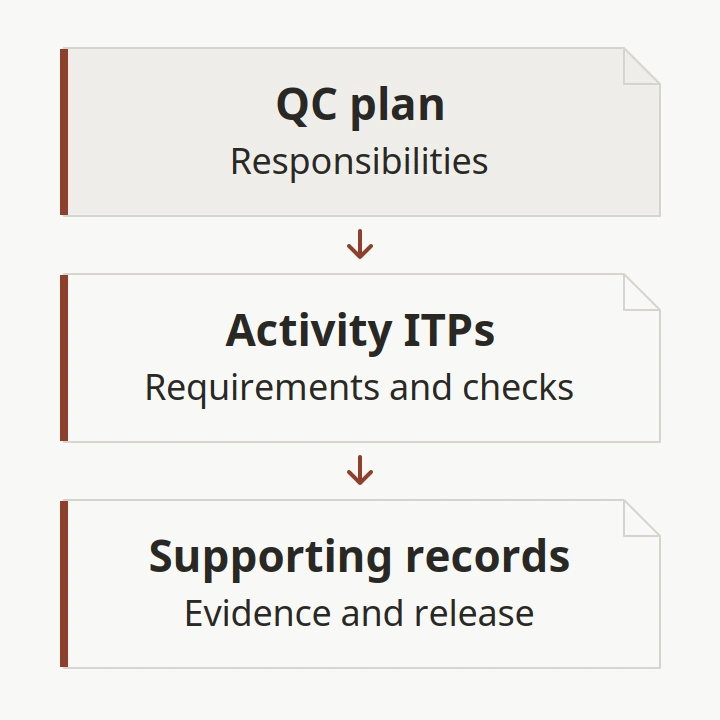
Missing material evidence can waste crew time after a delivery reaches the site. Write a construction quality control plan that connects project requirements, responsible people, inspection and test plans, and the records needed for release.
A construction QC plan should tell the team what controls apply, who carries them out, and how the results will be recorded. An inspection and test plan (ITP) then connects an activity to its requirements, checks, participants and evidence. This guide focuses on the handoff from material submittals to receipt and installation, with blank fields you can copy into your project documents. Fill them from the governing contract and specifications; the tables are an editorial starting structure, not an approved project plan.
Scroll horizontally to see all columns.
| Planning input | Where to obtain it | Why it matters |
|---|---|---|
| Governing requirements | Contract, specifications and referenced editions | Establishes the basis for acceptance |
| Work scope and sequence | Project work packages and schedule | Identifies the activities needing controls |
| Authority and responsibility | Project appointments and contract procedures | Identifies who checks and who releases |
| Material identity and submittal status | Current submittal register and delivery documents | Connects the proposed product to what arrives |
| Checks and records | Project ITPs and required reporting procedures | Connects the requirement to evidence |
Use the Planning guides for the surrounding assembly decisions. This page develops the plan structure; it does not prescribe trade-specific inspection criteria.
What belongs in a construction QC plan?
Start with the project scope, governing documents and allocation of responsibility. Then describe how the team will control submissions, inspections, tests, deficiencies and records. Separate the instructions for doing the work from the records showing what happened. A contents page alone will not tell a receiver what to do with an unresolved delivery.
The following organization is our suggested drafting structure. It groups related subjects so the material buyer, receiving team and installer can find the same control without maintaining competing versions.
Scroll horizontally to see all columns.
| Plan component | Decision to record | Supporting document |
|---|---|---|
| Scope and document control | What work and document revisions does this issue cover? | Controlled document register |
| QC organization | Who performs, reviews, escalates and authorizes actions? | Named roles, authority and appointment references |
| Work features | Which activities need separately planned controls? | Work-feature register tied to the schedule |
| Submittal control | Who tracks reviews and unresolved comments? | Submittal register and current review responses |
| Inspection and testing | What is checked, when, against which requirement? | Activity ITPs and referenced procedures |
| Material receipt and preservation | How is material identity and condition recorded? | Delivery records and storage instructions |
| Deficiency and change control | Who decides disposition, checks correction and closes the item? | Deficiency and change records |
| Reporting and handover | Where are completed records filed and how are they retrieved? | Record index and handover requirements |
For projects using the UFGS model, UFGS 01 45 00, section 1.5.2.1 identifies CQC plan content, including organization, authority, submittals, testing, deficiencies and reporting. The guide specification includes project tailoring choices; read the version incorporated into your contract.
Bring the material package into this structure through the construction material procurement process. The purchase order and submittal register provide inputs to QC; neither replaces the acceptance basis in the project documents.
Takeaway: Give each control a responsible person, a governing reference and a record location.
How do DFOWs and the three phases fit together?
A definable feature of work (DFOW), in the UFGS model, is a distinct task with its own control requirements and work crew; the working environment can also distinguish tasks. Section 1.8 organizes control into preparatory, initial and follow-up phases for each DFOW. Use that sequence where your project adopts it.
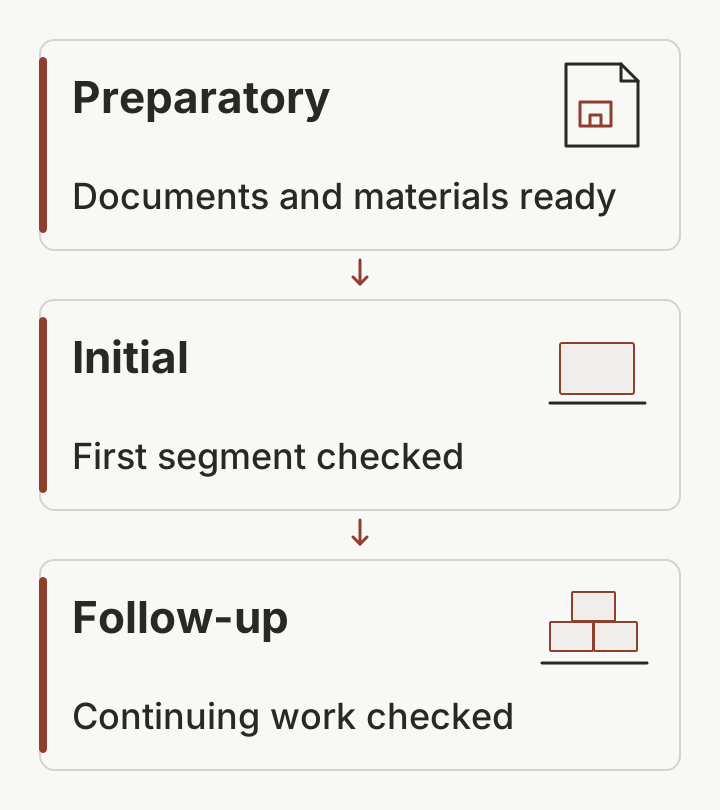
Illustration: the UFGS sequence, with project-specific checks and records assigned to each phase.
For drafting, associate each work feature with its scope, schedule activity, specification references, trade responsibility and ITP identifier. Keep the same identifier on related records. These are suggested register fields, not a replacement for a project-specified DFOW list.
Scroll horizontally to see all columns.
| Phase | Planning question | Suggested record to identify |
|---|---|---|
| Preparatory | Are the required documents, materials and arrangements ready? | Preparatory review record |
| Initial | Does the first segment of work meet the applicable requirements? | Initial inspection record |
| Follow-up | How will continuing work be checked and documented? | Continuing inspection and deficiency records |
Our practical drafting suggestion is to put material readiness on the work-feature review agenda: the current submittal response, delivery identity, required reports, and unresolved discrepancies. Use the site coordination handoff guide to connect that review to the receiving and installation sequence.
Common mistake: Making one generic “materials” work feature and losing the connection between a particular assembly, its requirements and its responsible trade. Ask the project reviewer how work features should be divided before issuing the register.
Takeaway: Connect the work-feature register to the schedule and its records before drafting inspection instructions.
How do you build an ITP?
Build the ITP around the requirement for an activity, the method of checking it, the people involved and the evidence to retain. Include the source document revision and clause so a reviewer can find the acceptance basis. Set participation and release arrangements before the activity occurs, using the project’s agreed terminology.
The ConSIG working group’s original How to Write an Inspection & Test Plan supports that field sequence. Its companion ITP guide explains that an ITP can include document checks and supporting evidence, as well as physical inspection. Neither article supplies universal US acceptance limits.
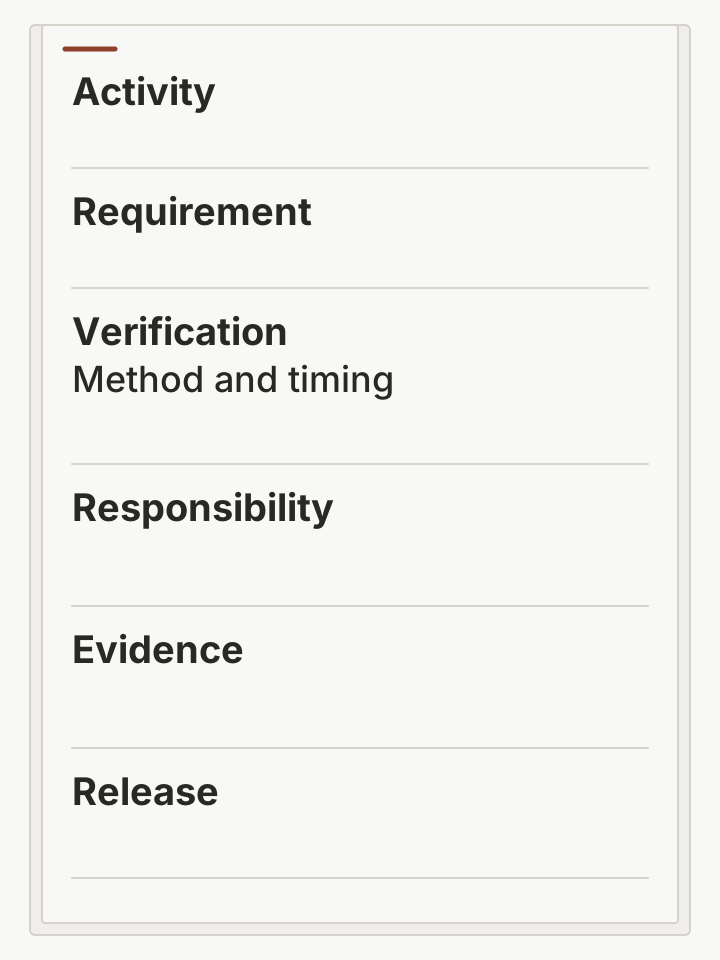
Illustration: a blank ITP structure. The empty fields are not test results or evidence of approval.
Use the following field definitions when setting up the blank table later in this guide:
Scroll horizontally to see all columns.
| Field group | What the project team supplies |
|---|---|
| Activity and location | Work feature, specific operation and location or lot identifier |
| Requirement | Document, revision, clause and the applicable acceptance criterion |
| Verification | Inspection or test method, timing or frequency, and procedure reference |
| Responsibility | Performer, reviewer and participating parties |
| Intervention | Agreed hold, witness or review designation; notice arrangement |
| Evidence and release | Record identifier, filing location, authorized decision and date |
A hold point identifies an agreed stop before progression until the specified release condition is satisfied. A witness point identifies an opportunity for a designated party to observe a check. Define who receives notice and how their response is handled in the project procedure; do not assume that silence authorizes continuation. ConSIG’s writing guide explains participation codes and hold points while noting that codes differ between organizations.
Keep the requirement column precise. “Check quality” does not identify a criterion. Use the specification comparison guide to organize the source documents, then enter the project’s actual clause and criterion. A checklist can carry the detailed observations, with its document identifier referenced in the ITP. Use the stage-by-stage construction QC checklist and blank record to capture material receipt, field observations and follow-up against those project requirements.
Takeaway: An ITP row is ready for review when its requirement, method, responsibility, evidence and release arrangement can be traced.
How do submittals connect to material receipt?
Use a shared material identifier to connect the submittal, ordered item, delivery and intended installation location. Record document-review status and physical receipt separately. Our suggested control is to keep an unresolved discrepancy visible through the handoff, so receiving a package does not erase the question that still needs a project decision.
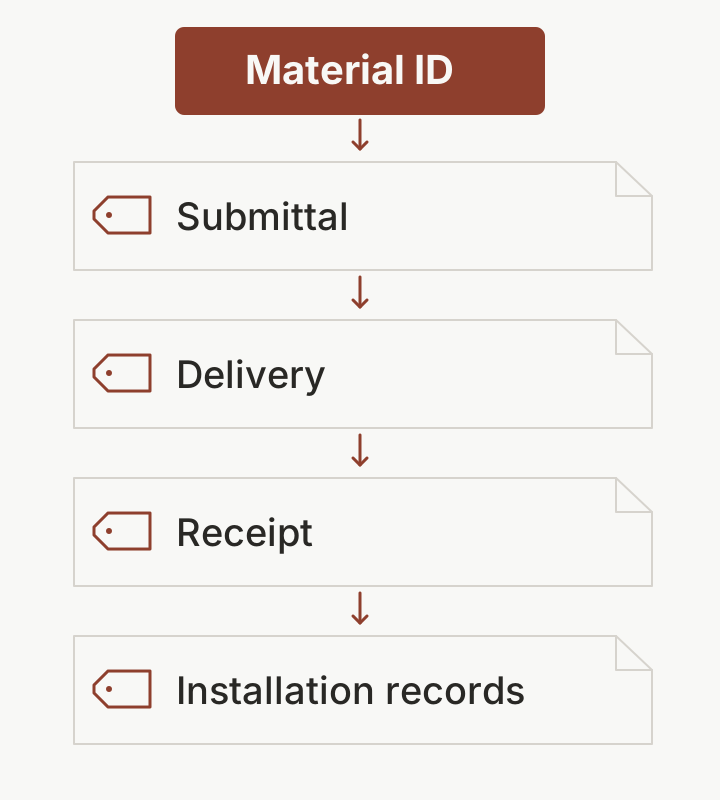
Illustration: proposed record links for a material package, not a completed inspection sequence.
Organize the handoff around these references:
- Before ordering: record the current product submittal identifier, revision, review action and outstanding comments. Connect these to the first-order requirements brief.
- Before delivery: identify which documents the receiver needs, who will review any discrepancies and how material status will be communicated to the installer.
- At receipt: provide blank fields for the ordered item reference, delivery identifier, material markings, condition observations and the associated documents.
- Before use: identify the applicable ITP activity, unresolved items and project-authorized release record. Do not prefill a pass result because a delivery has arrived.
- At handover: index the records against the relevant work feature and installation location, using the project’s traceability requirements.
ConSIG’s ITP guidance includes delivery documentation among potential evidence. The fields above are our organizational suggestions; they do not set sampling rates or technical tests. For a wall assembly, use the wall-system planning guide to identify the interfaces that belong in the project brief, then take the QC criteria from the governing project documents.
Common mistake: Treating a delivery signature as proof that every required inspection has passed. State what the receipt records and keep any acceptance decision in its own field.
Takeaway: Carry the material identifier and unresolved status from submittal through receipt to the release record.
How should the plan handle defects and changes?
Describe who records a discrepancy, who determines its disposition, and who verifies the resulting action. Keep correction, reinspection and release as distinct entries. For a change, connect the decision to the affected document revision and record who authorized it. This is our suggested record organization; the project documents determine the authority to act.
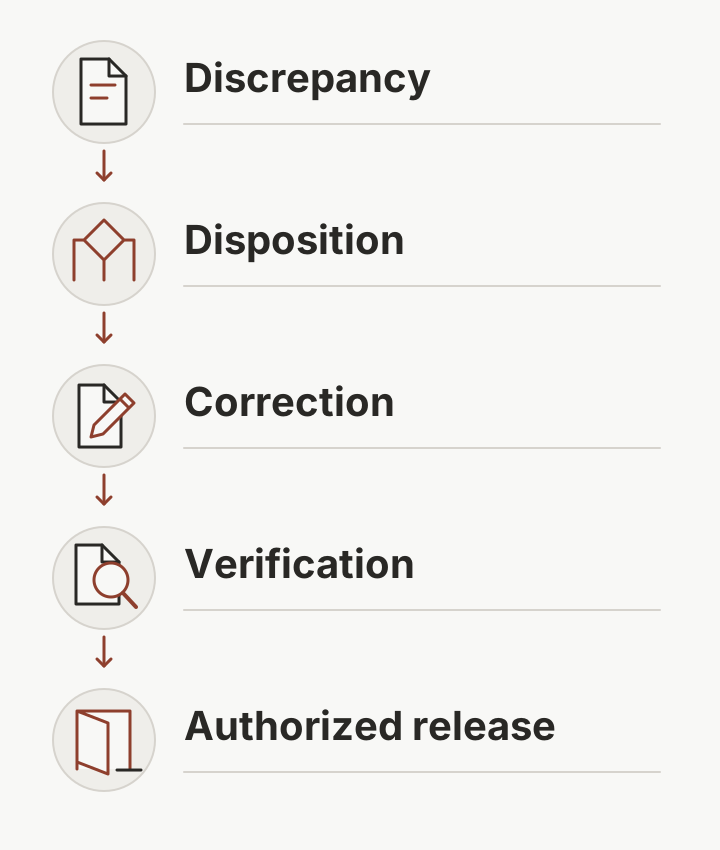
Illustration: a record can remain open after a correction is proposed; the project’s required verification and release still need entries.
Scroll horizontally to see all columns.
| Record field | Why to include it |
|---|---|
| Item ID, work feature and location | Connects the issue to the affected work |
| Requirement reference and observation | Separates the required condition from what was observed |
| Material status and notified parties | Makes the unresolved item visible to the next team |
| Disposition authority and action | Identifies who decided what happens next |
| Correction and verification references | Separates work performed from its subsequent check |
| Release authority, decision and date | Identifies the person and record permitting progression |
ISO/TC 176’s public documented-information guidance for ISO 9001:2015 identifies records related to traceability where required (8.5.2), unsuitable customer or external-provider property (8.5.3), and review and authorization of production or service changes (8.5.6). It also identifies release and nonconformity records under 8.6 and 8.7. These references explain record categories; they do not establish compliance for this template.
Use the OAC meeting decision-record guide when an unresolved issue needs coordination. Reference the formal disposition or change record from the meeting action; do not let a discussion note substitute for the approval procedure that applies to the project.
Takeaway: Record the action, its verification and the authorized release separately.
Copyable construction quality control plan template
Copy these blank fields into your working document or spreadsheet, then complete them from the project requirements. The tables deliberately contain no example project, test result, approval or acceptance value. If the client specifies a form, map the fields into that form instead. Ask the designated project reviewer to check the completed structure before use.
Plan cover and control fields
Scroll horizontally to see all columns.
| Field | Project entry |
|---|---|
| Project and contract reference | |
| Plan document ID, revision and issue date | |
| Scope and exclusions | |
| Governing documents and referenced editions | |
| Prepared by / reviewed by / authorized by | |
| Distribution and controlled-record location | |
| Superseded issue and change description |
Control procedures and authority index
Make a copy of this blank index for each control: QC organization and authority; submittals; inspection and testing; material receipt and preservation; deficiencies; changes; reporting; and handover. Attach or reference the corresponding procedure. This links the plan’s responsibilities to its instructions, rather than relying only on names entered on individual inspection records.
Scroll horizontally to see all columns.
| Control field | Project entry |
|---|---|
| Control name and scope | |
| Responsible role and named person | |
| Review role and named person | |
| Decision authority and appointment reference | |
| Escalation recipient and procedure | |
| Procedure document ID and revision | |
| Governing requirement and reference | |
| Related forms / registers / reporting arrangements | |
| Record location and distribution |
Work-feature and attachment register
Scroll horizontally to see all columns.
| Field | Project entry |
|---|---|
| Work-feature ID and description | |
| Schedule activity and planned work sequence | |
| Specification / drawing references and revisions | |
| Responsible trade and QC role | |
| Linked submittal and material package IDs | |
| Linked ITP and supporting checklist IDs | |
| Required phase-review records | |
| Record folder / handover index reference |
Blank ITP row
The field/value layout keeps the table readable on a phone. In a spreadsheet, transpose the field names into column headings and add an empty row for each activity. Split responsibility, intervention and evidence fields into separate columns when different parties need individual entries.
Scroll horizontally to see all columns.
| ITP field | Blank entry |
|---|---|
| Activity ID / work-feature ID | |
| Operation / location / material or lot ID | |
| Requirement document / revision / clause | |
| Acceptance criterion | |
| Inspection or test / procedure reference | |
| Timing or frequency and its source | |
| Responsible performer / reviewer | |
| Participating parties and intervention designation | |
| Notice requirement / recipient | |
| Evidence record ID / filing location | |
| Observation or result | |
| Discrepancy / disposition reference | |
| Authorized release decision / person / date |
Material handoff and issue-closure fields
Scroll horizontally to see all columns.
| Field | Blank entry |
|---|---|
| Material package / submittal ID and revision | |
| Review action / outstanding comment references | |
| Order / delivery / material identifier | |
| Receipt date / location / condition record | |
| Material status / notified parties | |
| Issue ID / requirement / disposition authority | |
| Correction record / verification record | |
| Release record / person / date | |
| Installation location / handover record reference |
Before circulating the plan, review the handoff with the material buyer, receiver, responsible trade and designated QC reviewer. Our suggested desk check is to follow a work-feature reference through the blank form and identify any field that has no agreed source or owner. Use the supplier evaluation guide for supplier-document questions that sit upstream of the project plan.
Takeaway: Complete the blank structure with project requirements and named authority; leave unknown results empty.
When this does not apply
Use the special inspections in construction handoff worksheet to keep the required inspection track separate from contractor QC when organizing a material package.
This template does not determine statutory special inspections, engineering acceptance limits or a project’s contractual approval powers. It also does not replace a client-mandated form, trade-specific procedure or detailed field checklist. Resolve those requirements with the relevant project professionals and governing documents before issuing inspection instructions.
- UFGS applicability: the source is a guide specification with tailoring options. Its requirements apply through the project documents that adopt them; this article does not extend them to every construction project.
- ISO edition: the requested 2015 references are edition-specific. At our October 2026 source check, ISO’s 2015 catalogue page listed it as withdrawn and replaced by ISO 9001:2026. Check the edition your contract or management system references and obtain the applicable text. No transition timetable is assumed here.
- Technical criteria: blank fields are not default tolerances, test frequencies or acceptance values. Populate them from the project-approved requirements and procedures.
- Supplier evaluation: assessing a supplier’s organization is a separate task from writing the project’s receiving and installation controls.
Takeaway: Confirm the governing requirements and edition before treating a populated template as an issued plan.
Frequently asked questions
What is a construction quality control plan?
It is the project document explaining how quality controls will be organized and recorded. For a material buyer, the useful distinction is between the plan’s instructions and the completed records: a written procedure for receiving material does not show that a particular delivery passed its checks.
What is quality control documentation?
It includes documents describing the controls and records of their execution. Keep the current plan, ITP and instructions distinguishable from inspection results, review responses and release decisions. An index linking records to the work feature helps a reviewer retrieve the evidence later.
How to write a quality control report?
Use the project-required format. As a drafting aid, identify the date, location, activity, governing reference, observation, related evidence and open issues. Record who made any disposition or release decision. Leave unperformed inspections blank; report an unresolved status instead of inventing a satisfactory result.
Can you provide an example of a project quality management plan?
The blank tables above provide an editable structure rather than a completed project example. They focus on QC activities and material handoffs. A broader project quality management plan may address additional management-system subjects; confirm its required scope with the client before reusing this structure.
What is a QC checklist?
A QC checklist records the detailed checks associated with an activity. Reference its identifier from the ITP so the completed observations can be retrieved. ConSIG’s guidance describes a checklist as supporting the ITP; the checklist alone does not describe every party’s involvement or the project’s release arrangements.
What is a QA plan in construction?
Confirm how the project defines quality assurance and who owns its assurance activities. A contractor’s QC plan describes its controls and records; reviewing those controls is a different responsibility. Do not assume this blank contractor-focused structure covers a client’s assurance plan or an independent inspection scope.
Takeaway: Use the questions to identify missing project inputs, then complete the relevant blank fields.
Related reading
- Construction material procurement process — Connect QC inputs to ordering, expediting and receiving.
- Specification comparison guide — Organize the requirements that need references in the ITP.
- Wall-system planning — Identify assembly interfaces to address in the project brief.
Takeaway: Use the related guides to prepare inputs; take the acceptance criteria from the project documents.
Method and sources
This guide is an editorial organization of public guidance, checked on October 8, 2026. The blank tables and diagrams are original drafting aids, not inspection data, a completed project example or a certification assessment. We have not inspected the reader’s project or tested the template on a live job.
- UFGS 01 45 00 — Quality Control, August 2023, Change 4 August 2026: official guide specification; section 1.5.2.1 for plan content and DFOW terminology, section 1.8 for the three phases.
- ConSIG CWG — Inspection & Test Plan and How to Write an Inspection & Test Plan: original working-group guidance hosted by Designing Buildings, used for ITP field concepts and participation terminology; tailored use is part of the authors’ stated scope.
- ISO/TC 176/SC2 — Guidance on Documented Information for ISO 9001:2015: official explanatory guidance, used for specific record categories. It does not reproduce the complete production-and-service-control requirements of clause 8.5.1; obtain the applicable standard for those requirements.
- ISO 9001:2015 catalogue record: official edition-status reference, checked on the same date. No technical requirements of the replacement edition are inferred here.
Takeaway: Verify the project references and populate the fields before seeking the required project review.
Related articles
Construction Quality Control Checklist: A Blank Template
Use stage-by-stage construction QC checks, material receipt prompts and a copyable blank template to record requirements, findings, evidence and sign-off.
Read article: Construction Quality Control Checklist: A Blank Template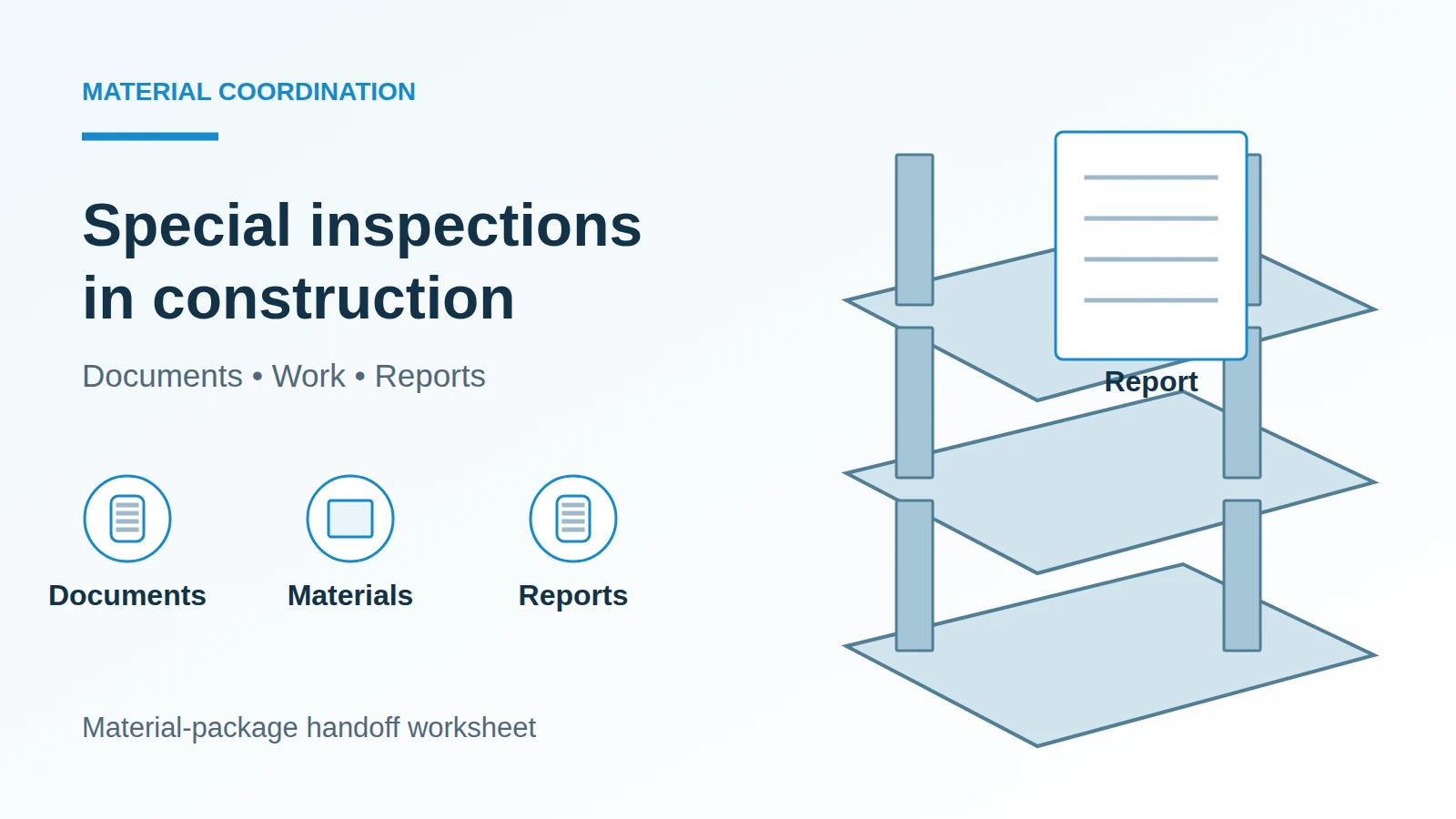
Special Inspections in Construction: A Material Handoff Worksheet
Separate construction QC from required special inspections, then use a material-package worksheet to coordinate documents, access, reports and closeout.
Read article: Special Inspections in Construction: A Material Handoff WorksheetPCO in Construction: From Material Change to Order Release
Understand construction PCO terms, distinguish bulletins from change orders, and use a blank record to connect material revisions to order-release authority.
Read article: PCO in Construction: From Material Change to Order Release