
How to Choose Construction Material Procurement Software: A Demo Worksheet
Selecting construction material procurement software from slide decks or feature checklists fails when a purchase order releases an unapproved submittal revision, a split delivery overwrites open backorder balances, or a damaged pallet cannot be isolated from an approved invoice. Knowing how to choose construction material procurement software depends on running every candidate platform through an identical, live transaction sequence before signing an annual contract.
Instead of ranking software vendors or relying on marketing claims, this guide provides a blank, vendor-neutral demo worksheet built around one illustrative material package (PKG-____). During each vendor session, project managers, estimators, and accounting leads can ask the sales engineer to execute five sequential field-to-office stress tests live on screen and score every step as Pass, Unverified, or Unsupported.
Scroll horizontally to see all columns.
| Test ID | Lifecycle Stage | Live Action Required From Vendor on PKG-____ |
Primary Evidence to Capture | Default Status Before Demo |
|---|---|---|---|---|
| TEST-01 | Submittal Revision & Hold | Reject Submittal Rev 0, create Rev 1, and attempt to release a purchase order against the rejected revision |
System block or warning log; preserved Rev 0 vs. Rev 1 history |
Pending live proof |
| TEST-02 | Approved PO Release | Convert PKG-____ into an approved purchase order tied to division and cost code, then generate the formal order document |
Locked line-item table, schedule of values link, and PDF order output | Pending live proof |
| TEST-03 | Split Delivery at Staging | Log 60 units received at the gate against 100 ordered units without closing the remaining 40 units |
Open backorder balance (40 units) plus distinct bill-of-lading record |
Pending live proof |
| TEST-04 | Damaged Receipt & Backcharge | Record 8 damaged panels out of 60 unloaded, attach field photos, and trace the cost impact to a potential change order or credit |
Net payable quantity (52 units), photo attachment, and linked cost event |
Pending live proof |
| TEST-05 | Data Export & Exit | Export both the single commitment (CSV and PDF) and the full project commitment register without vendor intervention |
Downloaded .csv and .pdf files checked for line-item and change-order fidelity |
Pending live proof |
Why Standard Software Demos Miss Field-to-Office Breakdowns
Most software demonstrations follow a frictionless path: a pre-loaded requisition converts into a purchase order in two clicks, the supplier ships 100% of the order on time, and the accounting export matches to the penny. On an active commercial jobsite, material procurement rarely moves in a straight line.
Before evaluating construction material procurement tools, a buying team needs to separate three distinct software categories that often overlap in search results and sales pitches:
- Construction Project Management Suites with Commitments Modules: Platforms such as Procore Commitments and Autodesk Build Cost Management structure material purchasing around project commitments—Specifically Purchase Orders and Subcontracts—tied directly to project cost codes, submittals, and potential change orders.
- Construction Subcontract and Material Procurement Platforms: Specialized tools such as ProcurePro and Matrak focus on procurement schedules, bid comparison tables, scope libraries, or visual drawing-tied material tracking from fabrication through site installation.
- Purchase-to-Pay (P2P) and Spend Control Tools: Platforms such as ProcureDesk center on requisition approval routing, vendor catalogs, mobile delivery receipts, and three-way matching (purchase order, delivery receipt, and supplier invoice) synced with accounting software like QuickBooks, Sage, or Xero.
Because each category was engineered around a different control point—job cost commitments, bid-package buyout, fabrication tracking, or accounts payable matching—a platform that excels at office approval routing can still leave site superintendents blind when partial loads arrive at the gate. If your project team currently tracks buyout and lead times in spreadsheets, review our construction material procurement process and material procurement log template to baseline your current fields before running vendor demos.
Setting Up the Blank Material Package (PKG-____) Before the Call
Never let a vendor run a demo exclusively on their own pre-configured sample project. Pre-built demo environments hide missing relational links because every cost code, vendor tax ID, and approval rule has already been massaged to work together.
Send the vendor a single blank test package specification 48 hours before the meeting, or ask the presenter to enter these five parameters live during the first five minutes of the call:
- Test Package ID:
PKG-____(for example, an interior cold-formed metal framing and acoustic wall board package) - Cost Code & Division Mapping: One primary CSI division code (such as
09 22 16Non-Structural Metal Framing) split across two building zones or floors to test multi-line cost allocation - Line Items:
Line 01:100bundles/panels of primary material with unit price, unit of measure (EAorBDL), and required on-site delivery dateLine 02:1lump-sum or freight line item with distinct tax and retention rules
- Submittal Requirement: Linked to one technical product data and physical sample submittal record requiring design review prior to fabrication release
- Delivery & Billing Terms: Net 30 billing, 10% retention (or material holdback where applicable), and staged delivery across two separate truckloads
Download the Blank Construction Material Procurement Software Demo Worksheet (CSV) to record each vendor’s live responses across all 24 evaluation columns.
How to Score Each Demo Step
To keep commercial and field reviewers aligned, apply three strict grading definitions across the worksheet:
- Pass: The sales engineer executed the workflow live in the application using
PKG-____(or an equivalent live record created during the session), and the team captured the resulting screen state, audit log, or exported file. - Unverified: The vendor states the platform supports the workflow—or shows a static slide, help article, or pre-populated example—but did not execute the transition live during the session. Every item scored at this tier requires a follow-up sandbox proof before contract signature.
- Unsupported: The feature does not exist natively and requires an external spreadsheet workaround, custom API middleware, or manual double entry.
The Five-Scenario Live Demo Stress Test
Walk the vendor through the five scenarios below in strict chronological order. Because each test builds on the state created by the previous step, breaks in data continuity surface immediately.

Scenario 1: Submittal Rejection and Revision Control (TEST-01)
On commercial projects, releasing a purchase order for fabrication before the architect or engineer of record stamps the submittal creates immediate rework risk. According to Procore’s Best Practices for Submittals, creating a submittal revision inside the system preserves the complete historical record under a single submittal number while tracking each review cycle separately.
What to ask the vendor to do live:
- Create a submittal item linked to
PKG-____(Rev 0) and mark the reviewer response as Revise and Resubmit or Rejected. - Attempt to issue or release the purchase order for
PKG-____while the linked submittal sits in a rejected state. - Generate
Rev 1under the same submittal number, upload a revised spec sheet, and show how the purchase order line item reflects the active revision status.
Evidence to capture in the worksheet:
- Does the software enforce a hard block, display an explicit warning banner, or allow the buyer to issue the purchase order without any notice that
Rev 0was rejected? - Is
Rev 0preserved in an immutable revision log under the same submittal number, or does the user have to overwrite the original attachment?
Scenario 2: Approved Purchase Order Release and Commitment Lock (TEST-02)
Once Rev 1 is approved, the project manager converts the buyout package into a binding purchase order. In construction accounting, a purchase order is a formal financial commitment. As documented in Procore’s Commitments user guide, the Commitments tool separates Purchase Orders (agreements with a vendor to ship materials for a specific price) from Subcontracts and tracks how approved orders affect total committed job costs.
For public and commercial baseline field definitions, the U.S. General Services Administration Optional Form 347 (Order for Supplies or Services) illustrates the core data elements every formal material order record must carry: contract/order number, requisition/reference number, accounting and appropriation data (cost code), delivery destination, discount terms, item number, schedule of supplies (Supplies or Services), quantity ordered, unit, unit price, and total amount.
What to ask the vendor to do live:
- Convert
PKG-____into an approved Purchase Order (PO-001) assigned to your two project cost codes. - Have a user without senior commercial permissions attempt to alter the unit price or quantity on
Line 01afterPO-001is marked Approved. - Generate the outbound supplier PDF document directly from the committed record.
Evidence to capture in the worksheet:
- Are unit prices, quantities, and cost codes locked against silent edits once the commitment status reaches Approved?
- Does the generated PDF include the linked submittal revision number, delivery gate instructions, and line-item unit prices without manual word-processing edits?
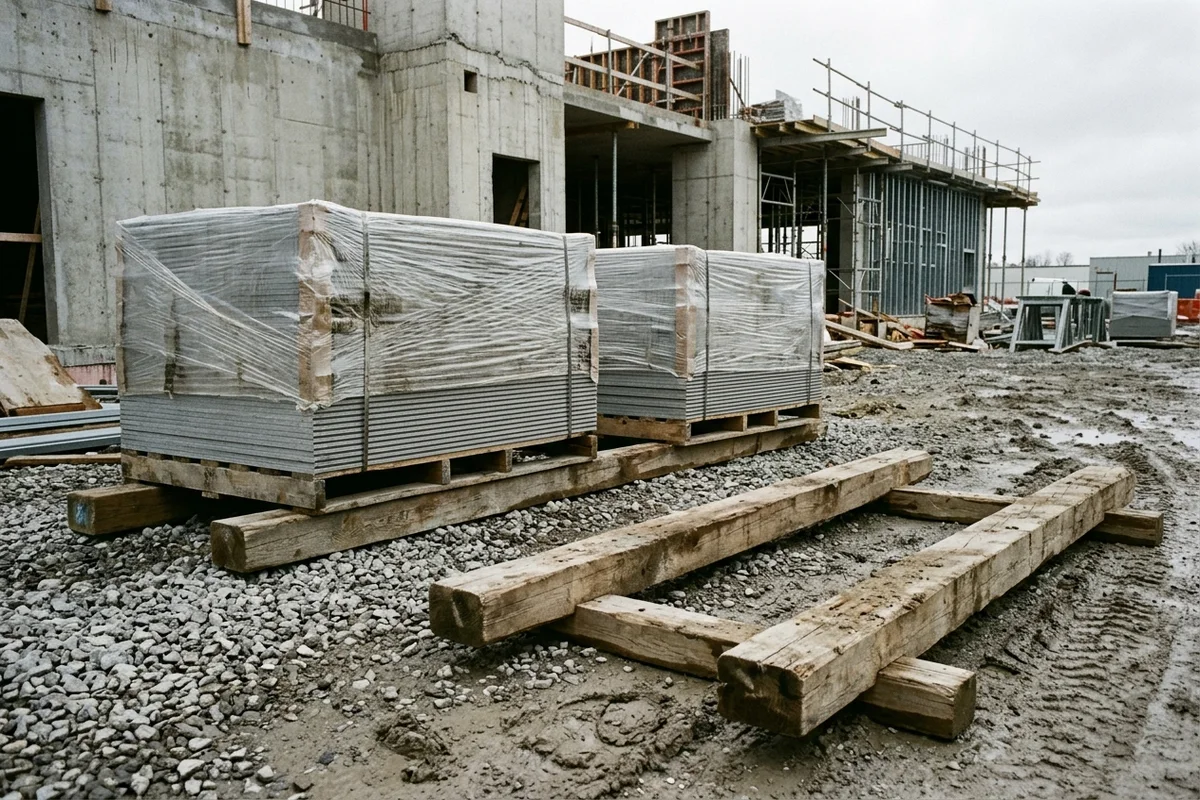
Scenario 3: Split Delivery and Partial Gate Receipt (TEST-03)
Suppliers frequently split 100-unit orders across multiple trucks due to mill run schedules or jobsite laydown limits. According to GSA Optional Form 347’s Receiving Report structure, a compliant receiving record must distinguish whether a shipment is Partial or Final alongside the Quantity Accepted for each line item. In vendor-published documentation, ProcureDesk states that field staff can log delivery receipts with quantities and condition notes via a mobile app so office teams can verify partial shipments against invoices. Treat any mobile offline or barcode claim as pending demo proof until tested live.
What to ask the vendor to do live:
- Open
PO-001(100units ordered onLine 01) in the field receiving view (mobile or tablet browser). - Log
Receipt #1for60units delivered at Gate B with Bill of LadingBOL-101, marking the receipt as Partial. - Open the supplier invoice matching screen and submit an invoice for
75units to see how the system handles a quantity variance between the purchase order (100), the gate receipt (60), and the vendor bill (75).
Evidence to capture in the worksheet:
- Does
PO-001automatically calculate and display an open backorder balance of40units without requiring the superintendent to create a second purchase order? - Does the three-way match check flag the
15-unit over-billing (75billed vs.60received), or does it approve the invoice simply because75is less than the original100ordered? - How does the receiving log coordinate with your field team’s site coordination notes for crane time and laydown bay assignment?

Scenario 4: Damaged Receipt, Refusal, and Change Order Trace (TEST-04)
When a forklift pierces a stretch-wrapped skid or bottom boards arrive with crushed edges, the site team cannot simply record 60 units received. They must accept the 52 undamaged panels, reject 8 damaged panels, attach photographic proof, and ensure the replacement shipment or vendor backcharge is tied back to the commitment.
When damaged materials or supplier substitutions trigger cost or schedule adjustments, commercial teams track the exposure through change events. In Autodesk Build Cost Management, a Potential Change Order (PCO) acts as the initial record for a cost or schedule change and can be generated directly from an issue or RFI before progressing into a formal supplier pricing review, Owner Change Order (OCO), or Supplier Change Order (SCO). For a detailed breakdown of how commercial teams separate design revisions from cost claims, see our guide on bulletins, PCOs, and change orders.
What to ask the vendor to do live:
- On
Receipt #1(60units unloaded), record52units accepted and8units rejected due to transit damage, attaching a timestamped photo of the damaged pallet. - Show how those
8rejected units affect the open balance onPO-001(does the open balance return to48units awaiting replacement, or must a credit memo/change order be issued?). - Create a linked Supplier Change Order or Potential Change Order for a backcharge or expedited replacement and show its impact on the commitment’s revised total.
Evidence to capture in the worksheet:
- Can the superintendent record
Quantity Delivered (60),Quantity Accepted (52), andQuantity Rejected (8)on the same receiving transaction, aligned with construction quality control checklist inspection steps? - Are field damage photos attached directly to the line-item receipt record so accounts payable can see them without searching email threads?
- Does a supplier deduct or replacement change order link directly to
PO-001without erasing the original baseline commitment amount?
Scenario 5: Data Export, ERP Sync, and Contract Exit Extraction (TEST-05)
Construction companies frequently discover at project closeout—or during a software migration—that their procurement history is trapped inside proprietary screens or flattened into unreadable summary tables. Verified support documentation shows exactly what to check before signing:
- Single Commitment Export Limits: According to Procore’s Export a Commitment tutorial, users can export an individual Purchase Order or Subcontract to
CSVorPDF. However, Procore’s documentation explicitly notes that change orders are not included in a single commitment CSV export, and when using the configurable PDF export option, Notes and Change Orders are not included in the export. - Register-Level Bulk Export: According to Procore’s Export a Commitments List tutorial, exporting from the Commitments tool list view to
CSVorPDFincludes the commitments and their change orders in the export.
These documented differences demonstrate why buyers must test both single-record and bulk-register exports live during the demo rather than accepting a yes/no answer on “CSV export.”
What to ask the vendor to do live:
- Export
PO-001(which now contains two cost codes, one partial receipt, one damaged-unit deduction/change order, and attached photos) toCSVandPDF, and email or screen-share the raw files immediately. - Export the full project Commitments List to
CSVand inspect whether original commitment amounts, approved change orders, pending change orders, and received quantities appear as separate, machine-readable columns. - Demonstrate the accounting/ERP sync error queue: show where a failed cost-code push or duplicate vendor invoice lands when the ERP rejects a record.
Evidence to capture in the worksheet:
- Does the single-PO CSV export include or omit approved and pending change order lines?
- Does the bulk register CSV preserve every line-item cost code, or does it collapse multi-line purchase orders into a single header row?
- Can the project team export all raw commitment tables, delivery receipts, and photo attachments in bulk at contract termination without paying a custom professional-services extraction fee?
Blank Demo Worksheet and Evidence Matrix (PKG-____)
Copy the table below or open the downloadable CSV worksheet during each vendor demonstration. Keep the Status column set to Unverified until the presenter completes the action live on screen.
Scroll horizontally to see all columns.
| Scenario | Test ID | Requirement & Control Question | Live Demo Prompt (PKG-____) |
Required Evidence Artifact | Vendor A Score (Pass / Unverified / Unsupported) |
Vendor B Score (Pass / Unverified / Unsupported) |
|---|---|---|---|---|---|---|
| 1. Submittal Hold | TEST-01A |
Link purchase order line items to a specific submittal number and revision | Attach PKG-____ Line 01 to Submittal 09-2216-01 Rev 0 |
Screen capture of relational link on PO line | [ ] Score: ________ |
[ ] Score: ________ |
| 1. Submittal Hold | TEST-01B |
Block or warn buyer when releasing a PO tied to a rejected submittal | Mark Rev 0 Rejected and click Approve / Issue PO |
System validation error or audit warning log | [ ] Score: ________ |
[ ] Score: ________ |
| 2. PO Release | TEST-02A |
Allocate a single PO across multiple project cost codes and zones | Split PKG-____ across two CSI cost codes with retention rules |
Commitment Schedule of Values (SOV) screen | [ ] Score: ________ |
[ ] Score: ________ |
| 2. PO Release | TEST-02B |
Lock unit prices and quantities after commitment approval | Attempt to edit Line 01 unit price as a standard user post-approval |
Permission denial message and change-history log | [ ] Score: ________ |
[ ] Score: ________ |
| 3. Split Delivery | TEST-03A |
Record partial receipt (60 of 100 units) with BOL reference |
Log 60 units delivered on BOL-101 without closing PO-001 |
Open backorder balance showing 40 units remaining |
[ ] Score: ________ |
[ ] Score: ________ |
| 3. Split Delivery | TEST-03B |
Flag over-billed invoice against cumulative accepted gate receipts | Enter supplier invoice for 75 units when only 60 are received |
Three-way match exception hold on the 15-unit gap |
[ ] Score: ________ |
[ ] Score: ________ |
| 4. Damaged Receipt | TEST-04A |
Split delivered load into accepted (52) and rejected (8) units with photos |
Log 8 damaged panels at unloading and attach field photo |
Receipt record showing 52 net accepted + photo file |
[ ] Score: ________ |
[ ] Score: ________ |
| 4. Damaged Receipt | TEST-04B |
Trace damaged or substituted items to a PCO or Supplier Change Order | Generate a deduct/replacement change event linked to PO-001 |
Commitment summary showing original, change, and revised total | [ ] Score: ________ |
[ ] Score: ________ |
| 5. Data Export | TEST-05A |
Verify whether single-commitment CSV/PDF exports include change orders | Export PO-001 to .csv and .pdf after adding the change order |
Raw exported .csv and .pdf files inspected live |
[ ] Score: ________ |
[ ] Score: ________ |
| 5. Data Export | TEST-05B |
Verify full commitment register export and ERP sync error queue | Export full Commitments List .csv and view failed ERP sync log |
Register .csv with change order columns + sync queue view |
[ ] Score: ________ |
[ ] Score: ________ |
Separating Published Vendor Claims From Verified Capabilities
When comparing vendor websites before a demo, treat published product marketing pages as hypotheses to test rather than confirmed capabilities. The table below contrasts documented support-guide facts against vendor-published capability claims that require live verification on your own project structure:
Scroll horizontally to see all columns.
| Platform / Source Type | Documented Behavior or Vendor-Published Claim | Source Attribution | What Your Team Still Needs to Verify Live (PKG-____) |
|---|---|---|---|
| Procore Commitments (Official Support Guide) | Separates Purchase Orders from Subcontracts; single commitment CSV and configurable PDF exports exclude change orders, while the Commitments List export includes commitments and their change orders. | Procore Support: Commitments & Export Tutorials | How field delivery receipts (TEST-03) and damaged unit deductions (TEST-04) flow into commitment billing and your specific ERP connector. |
| Autodesk Build Cost Management (Official Help Documentation) | Potential Change Orders (PCOs) capture initial cost or schedule impacts, link to issues or RFIs, and progress into RFQs, Owner Change Orders (OCOs), or Supplier Change Orders (SCOs). | Autodesk Build Help: Potential Change Orders | How line-item material receiving at the gate updates purchase order balances and triggers an SCO when shipments arrive damaged (TEST-04). |
| Matrak (Vendor-Published Page) | Vendor states its platform links materials to 2D architectural drawings for status tracking from manufacturing through site installation and updates look-ahead programs. | Matrak Product Page (Vendor claim — pending demo proof) | Whether drawing-status updates enforce commercial commitment locks (TEST-02), three-way invoice matching (TEST-03B), and cost-code CSV exports (TEST-05). |
| ProcurePro (Vendor-Published Guide) | Vendor highlights consolidated procurement schedules, tender comparison tables, scope libraries, and contract generation for construction teams. | ProcurePro Buyer Guide (Vendor claim — pending demo proof) | How post-award field receiving (TEST-03) and damaged delivery backcharges (TEST-04) are recorded after the initial contract or order is executed. |
| ProcureDesk (Vendor-Published Page) | Vendor states it provides requisition workflows, three-way invoice matching, mobile receipt logging with photos, and integrations with QuickBooks, Sage, Xero, Bill.com, and BatchMaster. | ProcureDesk Construction Page (Vendor claim — pending demo proof) | Whether the platform tracks construction submittal revisions (TEST-01), CSI cost-code retention rules (TEST-02), and supplier change orders (TEST-04B). |
How to Run the 45-Minute Vendor Evaluation Session
To keep every software vendor on an equal footing, structure a 45-minute technical evaluation around the worksheet rather than a general product tour:
- Minutes 0–5 (Baseline Setup): Confirm
PKG-____is loaded with two cost codes,100primary units onLine 01, a freight line onLine 02, and one linked submittal record. Skip company history slides. - Minutes 5–15 (
TEST-01&TEST-02— Office Controls): Have the project manager and estimator watch the presenter reject SubmittalRev 0, test the purchase order hold, approveRev 1, releasePO-001, and attempt an unauthorized post-approval price edit. - Minutes 15–30 (
TEST-03&TEST-04— Field Receiving & Exceptions): Have the site superintendent watch the presenter log a partial delivery of60units on a mobile or tablet view, reject8damaged units with a photo attachment, test an over-billed75-unit invoice, and create a linked change event. - Minutes 30–40 (
TEST-05— Accounting & Exit Exports): Have the controller or accounting lead inspect the live single-POCSV/PDFexports, the full Commitments ListCSVexport, and the ERP sync error log. - Minutes 40–45 (Score Reconciliation): Read back every row scored Pass, Unverified, or Unsupported before ending the call. Any item left Unverified must be demonstrated in a follow-up session or trial sandbox before commercial pricing negotiations begin.
Related articles

Construction Material Procurement Log Template
Download a blank construction material procurement log and PO field sheet (CSV), with field definitions, a backward scheduling method and no assumed lead times.
Read article: Construction Material Procurement Log Template
Construction Material Procurement: Lifecycle Stages, Sourcing Channels and Verification Checklist
Five release gates for construction material procurement, plus sourcing channels and a verification checklist. Cost share, waste, lead time, markup, and attic stock stay blank unless a saved source prints them.
Read article: Construction Material Procurement: Lifecycle Stages, Sourcing Channels and Verification Checklist
AIA Contract Documents: A Procurement Form Guide
Match A101, A102, A104, A133, A141, A201, and A401 to the price clause and the delivery route before the wrong general conditions are incorporated.
Read article: AIA Contract Documents: A Procurement Form Guide